Forms for any website. Answers in Diggama.
Build a contact, newsletter or quote form in minutes, put it on your site with a link, an iframe or a snippet, and read every answer next to your content. Spam protection included.
Included in every plan · No API token on your pages

How it works
Build, share, read. That is all.
- 01
Build
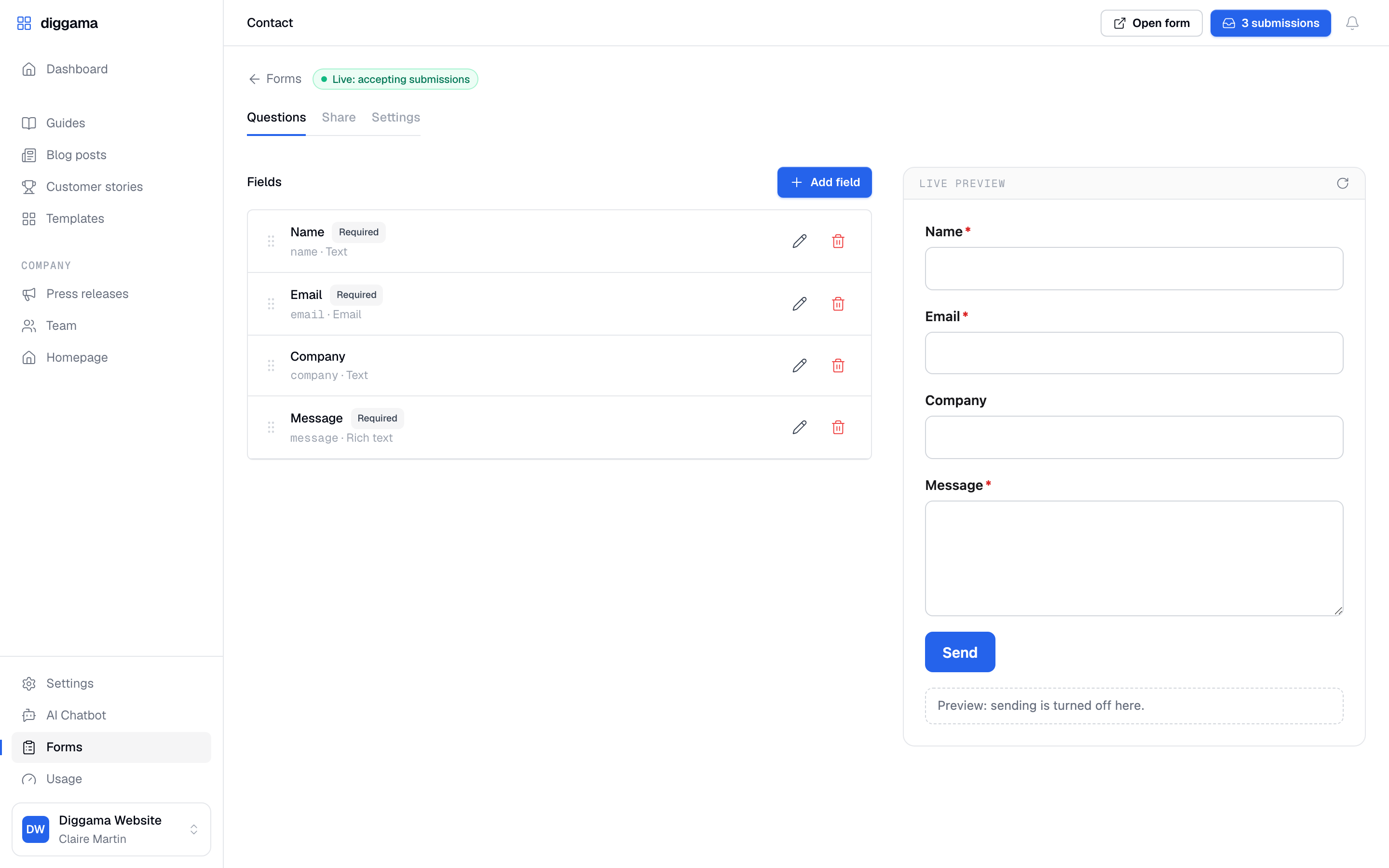
Start from Contact, Newsletter or Quote request, then add, reorder and require questions. The preview follows as you go.
- 02
Share
A link to send, an iframe for site builders, an embed in your own font, or your own markup.
- 03
Read
Every answer is emailed to your team and stored in Diggama, ready to search, sort and act on.
10 question types
- Text
- Rich text
- Number
- Choice
- Multi-choice
- Boolean
- Date
- Date and time
- Link
Share
On your site, the way it is built
Each form comes with five ways in. Diggama writes the code from your questions; you copy it.
- 01
Link
A hosted page, no website needed. Send it by email, post it, print it as a QR code.
https://api.diggama.com/f/frm_xxxxxxxx - 02
Iframe
Paste in Webflow, WordPress, Wix or Framer. The optional script sizes it to the form.
<iframe src="https://api.diggama.com/f/frm_xxxxxxxx?embed=1" style="width:100%;border:0"></iframe> - 03
Embed
Part of your page, in your font, restyled with a few CSS variables.
<div data-diggama-form="frm_xxxxxxxx"></div> <script src="https://api.diggama.com/forms/embed.js" defer></script> - 04
HTML form
Your own markup posts straight to the form, with a thank-you page in return.
<form method="post" action="https://api.diggama.com/forms/frm_xxxxxxxx"> <input name="email" type="email" required> <button>Send</button> </form> - 05
JavaScript
Your own form, sent with fetch, from any framework. Errors come back per field.
await fetch('https://api.diggama.com/forms/frm_xxxxxxxx', { method: 'POST', headers: { 'Content-Type': 'application/json' }, body: JSON.stringify({ email, message }), }) -

Works with your stack
WordPress, Webflow, Wix, Framer, Astro, Next.js or plain HTML.

On your site
In your font, on your page
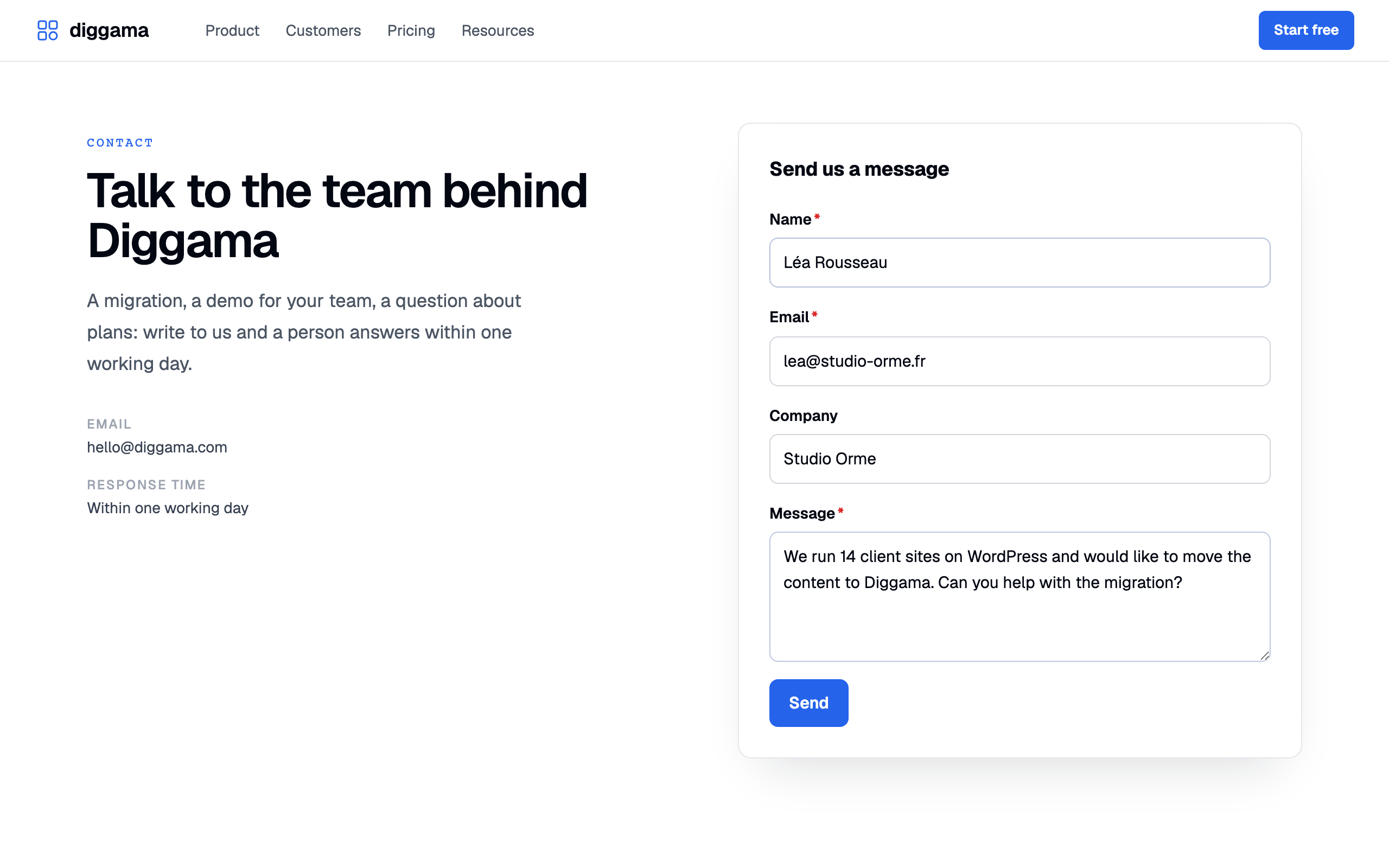
The embed on the contact page of diggama.com. It takes the site's font, checks every answer before sending, and thanks the visitor in your words.

Spam protection
Open to people, closed to bots
A public form is an open door. The first three checks are always on, with nothing to set up. The rest are a switch away.
- Rate limitsAlways on Per visitor and per form, so a flood stops before it fills your inbox.
- HoneypotAlways on A hidden field only bots fill in. They get a normal answer and nothing is stored.
- Minimum fill timeAlways on Answers sent faster than a person can type are dropped quietly.
- Allowed domains Only your sites may post, subdomains included.
- Cloudflare Turnstile An invisible check against bots running a real browser, when you add its keys.
- A new key at any time Being targeted? A new form key stops the old one at once.
The answers
Where your team already works
-

Email alerts
Each submission goes to up to ten addresses, every answer laid out. Reply, and you are writing to the visitor.
-

An inbox in Diggama
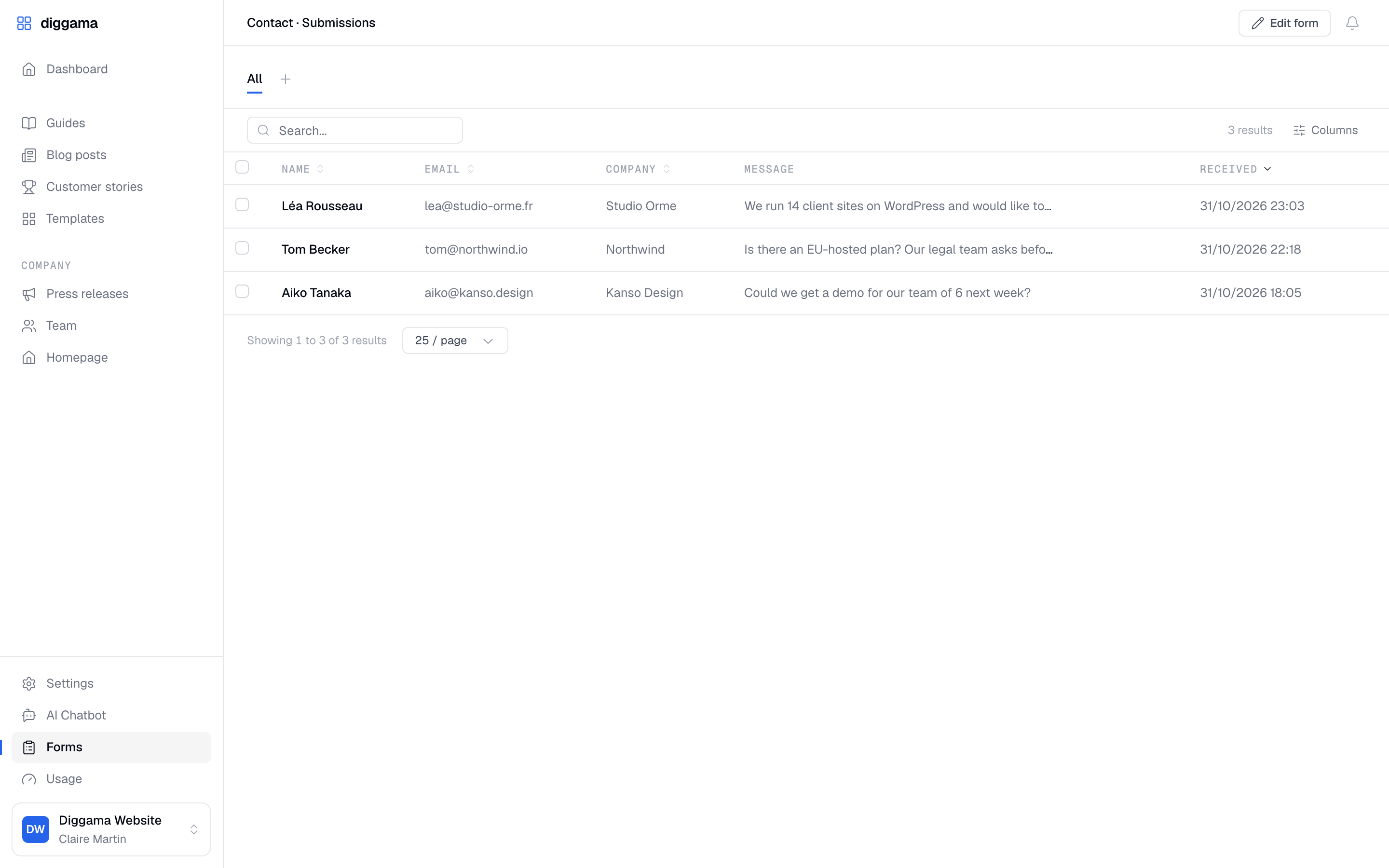
Answers are stored as entries: search, sort, choose the columns, save views, delete in bulk.
-

Workflows
A new answer is a new entry, so workflows run on it: a webhook to your CRM, a Slack message, an email.
-

The API
Read a form’s questions and post answers from any front end, without a token on the page.
Templates
Every form a site needs
-
Contact
Name, email and message, on every page that needs one.
-
Newsletter
An email, a first name and a consent box.
-
Quote request
Company, budget and project, straight to your sales inbox.
-
Events and sign-ups
Dates, choices and numbers for registrations and waiting lists.

Is Forms included in my plan?
Yes. Forms is part of every Diggama plan, Starter, Growth and Enterprise, with no add-on to buy.
Do I need a developer to put a form on my site?
No. Share the link, or paste the iframe into your site builder. Developers can go further with the embed, their own HTML or the API.
Is my API token exposed on the page?
Never. Each form has its own public key that can only receive answers, and you can replace it at any time.
How do you stop spam?
Rate limits, a honeypot field and a minimum fill time are always on. You can restrict the sites allowed to post and add Cloudflare Turnstile.
Can I send the answers to my CRM?
Yes. Each answer is an entry, so a workflow can send it to a webhook, Slack or email the moment it arrives.
Can visitors upload files?
Not yet. Forms accepts text, numbers, dates, choices, links and yes/no answers.

Put your first form online today
Every plan includes Forms. Pick a template, share the link, and read the answers in Diggama.
No credit card required · 3 months free trial · Cancel anytime