
Product launch · October 2026
Diggama launches an AI Chatbot that answers your visitors from your own content
Your articles, your services and your FAQ, answering questions on your website day and night, in the visitor's language, with a link to the right page.
-
1 line
of code to install it on any website
-
100 pages
read from your sitemap, again every night
-
30 to 400
conversations a month, included in every plan
Diggama today releases the AI Chatbot: an assistant for your website that answers visitors from the content you already manage in Diggama. It is available now on every plan, Starter, Growth and Enterprise, with a monthly allowance of conversations included.
Most questions a visitor asks already have an answer somewhere on your site: in a service page, a blog post, the delivery terms. The chatbot finds that answer, writes it in plain words and links to the page. It reads the published entries of the content types you choose, the pages of your website through its sitemap, the documents you add and the instructions you write.
It is built for the teams who run websites with Diggama: agencies and studios, shops, publishers, service businesses. Editors keep writing as usual. What they publish is used from the next answer, with nothing to retrain and nothing to redeploy.

Demo · Setup
Set it up in minutes
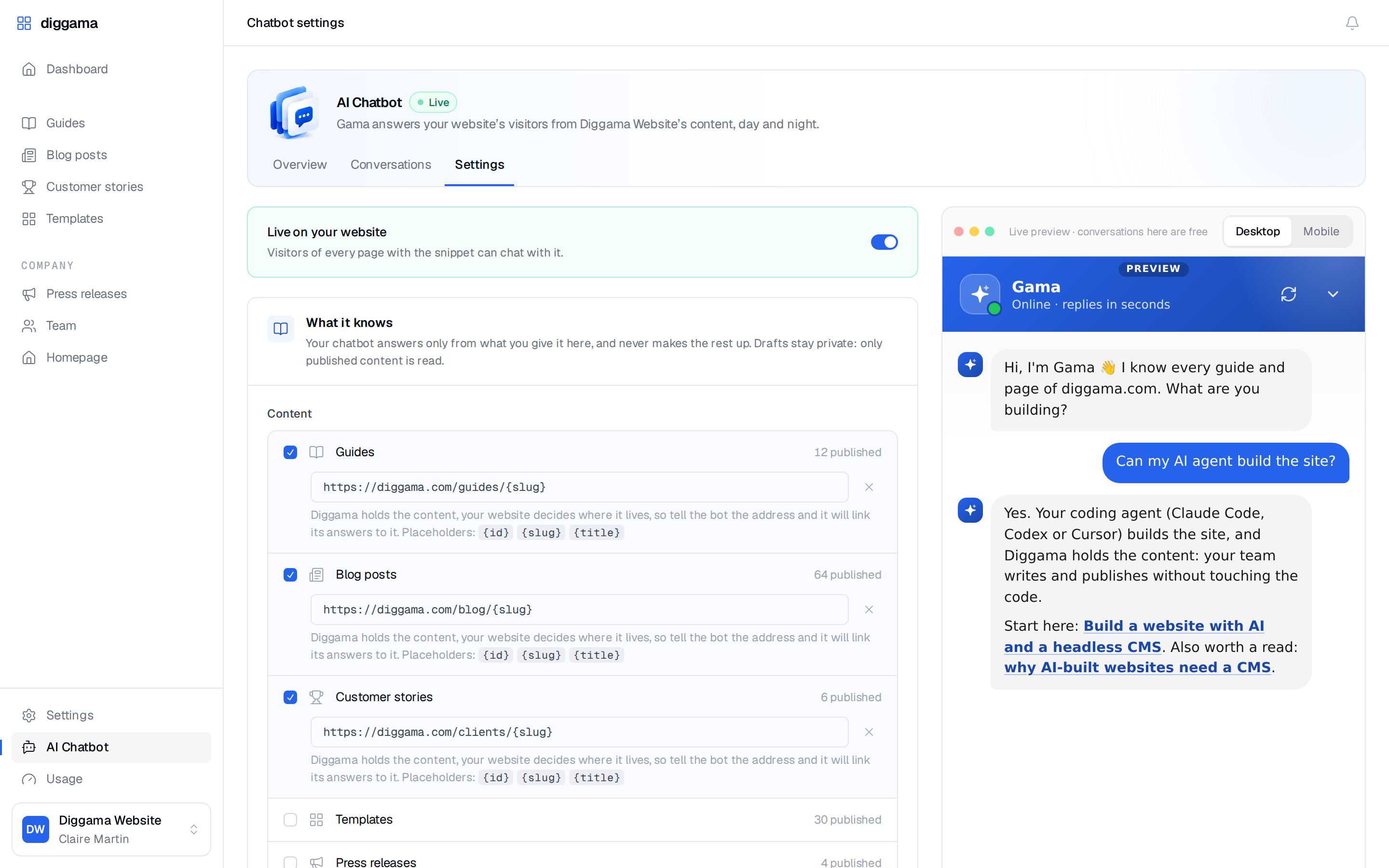
Everything happens on one Settings page, next to a live preview of the chatbot that follows as you type. Here is the real page, played step by step: we set up Gama, the assistant of diggama.com, from our own guides, blog and customer stories.
- 01
Tick your content types
Only published entries are read. Drafts and scheduled entries stay private.
- 02
Link to your pages
Give a page address such as example.com/blog/{slug} so answers link to the right page.
- 03
Add your sitemap
Up to 100 pages of your website, menus and footers left out, read again every night.
- 04
Add documents
Opening hours, delivery terms, a return policy, an FAQ: what is not on your site yet.
- 05
Write the instructions
Tone, what to recommend, what to avoid, how to reach a human.
- 06
Pick the look
Name, colour, position, welcome message and up to four suggested questions.
- 07
Switch it on
Try it in the live preview first: those test conversations are free.
- 08
Paste one line
The snippet goes before </body> on WordPress, Webflow, Astro, Next.js or plain HTML.

Demo · Conversation
A visitor asks. Your content answers.
Gama, the real widget, on diggama.com. It answers from our own guides and pricing, links to the pages that say more, and switches to French when the visitor does.
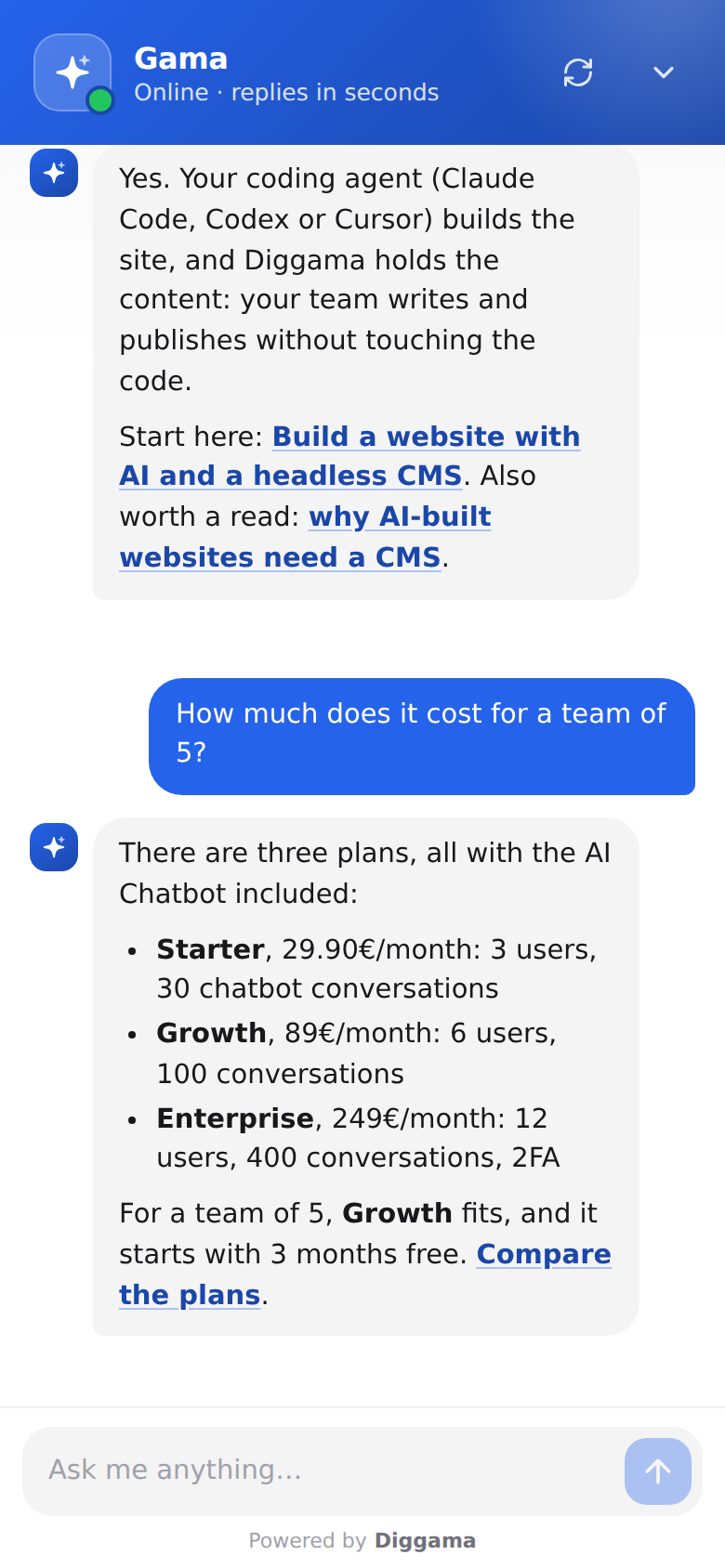
- Answers from your content Your articles, services, documents and instructions. Nothing else.
- Links to the right page Each answer can point to the page where the visitor reads more.
- In the visitor's language A question asked in Spanish gets an answer in Spanish.
- Suggested questions Up to four one-tap chips under the welcome message to get things started.
- Contact details when you want them Ask for a name and email, optionally or before the first message.
- Honest when it does not know It says so and points to your contact details, and it declines off-topic questions.
What is in it
Everything around the conversation
A chatbot is only as useful as what it knows and what you learn from it. Both live in Diggama, next to your content.
-
Knowledge that stays fresh
Nothing is trained. Before each answer it checks for changes, so a new publication is used from the next answer.
-

No made-up answers
It answers only from your knowledge and instructions, and says so when it does not know.
-

Links to your pages
From a page address per content type, or straight from the pages in your sitemap.
-

Chats become leads
Never, optional or required: you decide when to ask for contact details.
-
Conversations inbox
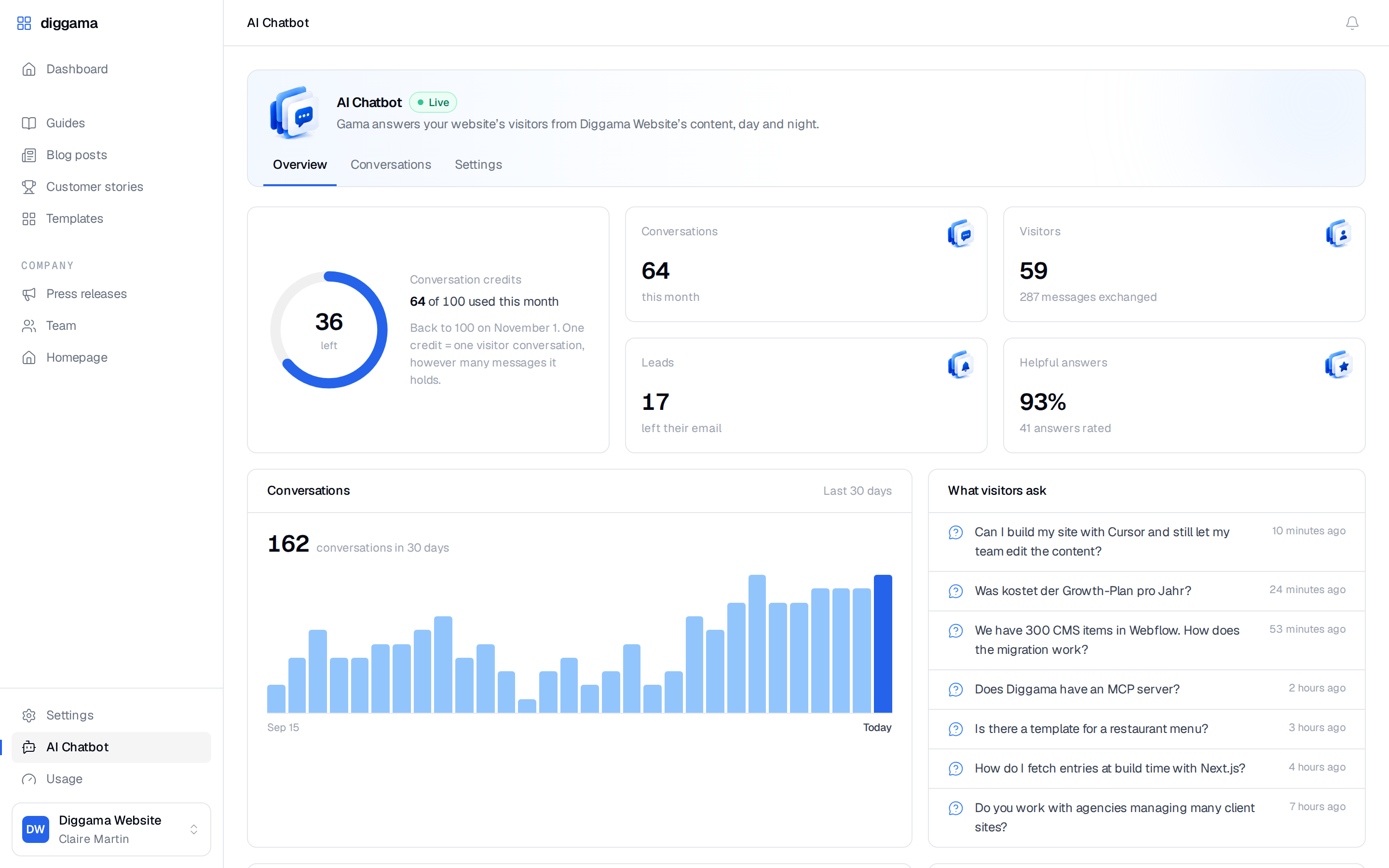
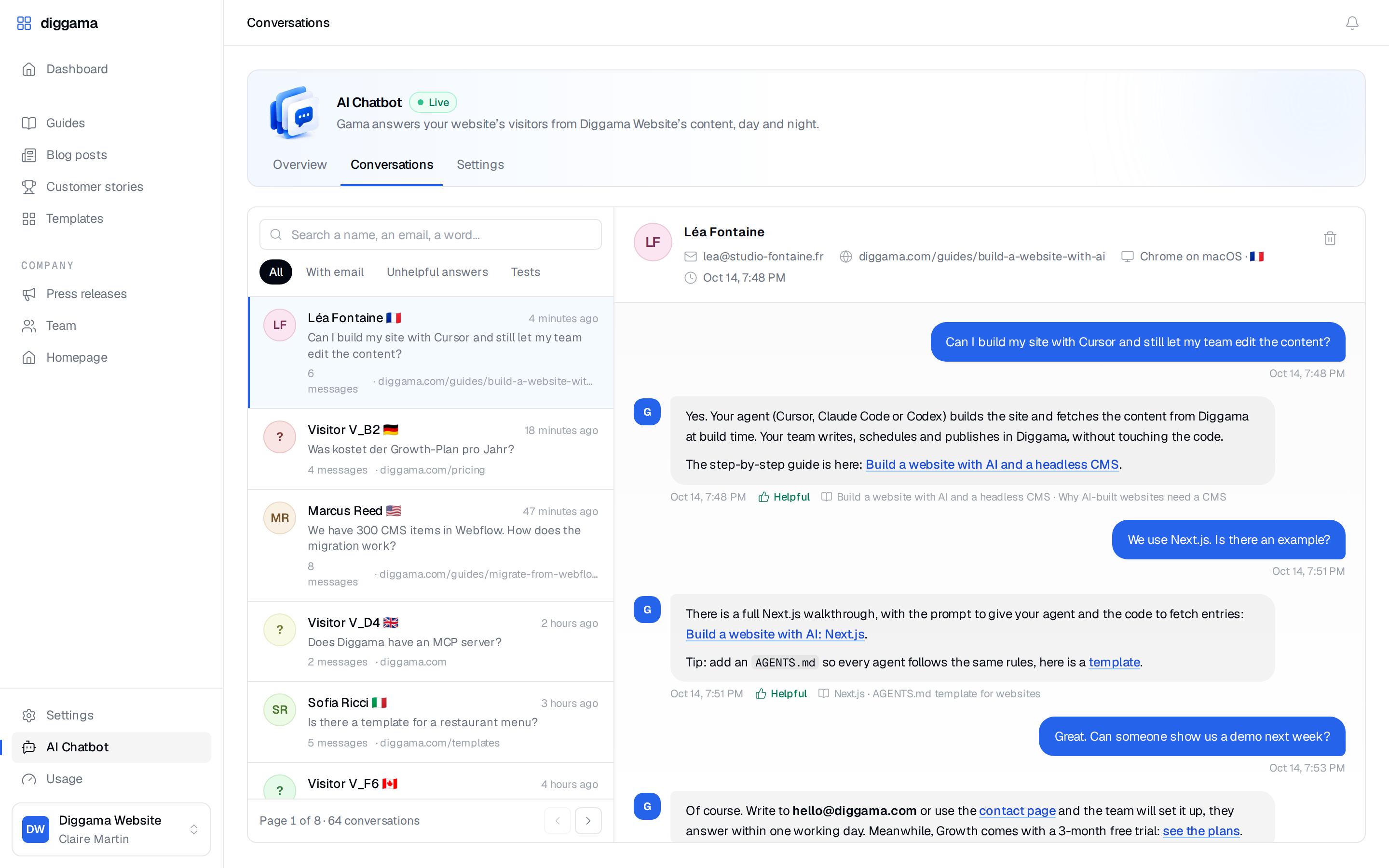
Every transcript with the visitor, page, browser and country. Thumbs up and down show what to improve.
-

Installs anywhere
One script tag, isolated from your styles, at home on phones, remembered across pages.
-

Locked to your domains
Allowed domains, a public key you can regenerate, rate limits and capped message lengths.
-

Right access per role
Editors see the overview and conversations. Developers and administrators also change the settings.
In the product
From your dashboard to their phone
Pricing
Included in every plan
The AI Chatbot comes with every Diggama plan, with no add-on to buy. Each plan includes a number of conversations per month, and more can be added by the hundred.
- One conversation is one visitor session, however many messages it holds.
- Conversations started from the preview in Settings are free and labelled Test.
- The allowance resets on the 1st of each month, and the Overview shows what is left.
- Once it is used up, new visitors see your offline message, while visitors already chatting can finish.
- Starter 29,90€ per month 30
- Growth 89€ per month, 3 months free 100
- Enterprise 249€ per month 400
Availability
Available today
The AI Chatbot is live for every Diggama project, under AI Chatbot in the sidebar. A developer or an administrator sets it up, then pastes the snippet before </body>.
It works on WordPress, Webflow, Astro, Next.js or plain HTML. To open it from your own button, call DiggamaChat.open().
<!-- Before </body>, on every page -->
<script src="https://api.diggama.com/chat/widget.js"
        data-chatbot="cb_xxxxxxxx" defer></script>
// Open it from your own button
DiggamaChat.open() // also close() and toggle()Our customers already write the answers: in their articles, their service pages, their FAQ. The chatbot puts those answers where the question is asked, and sends the visitor to the page that says more.
Media inquiries
Writing about the AI Chatbot? We are happy to help with screenshots, a demo project and answers to your questions.

Let your content answer your visitors
Every plan includes the AI Chatbot. Set it up in minutes, paste one line, and read the conversations in Diggama.
No credit card required · 3 months free trial · Cancel anytime