
Product launch · October 2026
Diggama launches Forms: collect messages from your site, spam left out
Contact, newsletter, quote request: build the form in minutes, put it on any website with a link, an iframe or a snippet, and read every answer in Diggama.
-
5 ways
to put a form on a site: link, iframe, embed, HTML or JavaScript
-
10
question types, from a short text to a date or a multi-choice
-
0
API tokens on your pages
Diggama today releases Forms: a form builder inside Diggama, for the contact, newsletter and quote forms every website needs. It is available now on every plan, Starter, Growth and Enterprise, under Forms in the sidebar.
Until now, a team running its site on Diggama had two options for a contact form: a third-party form service with its own account and its own inbox, or a custom endpoint written by a developer. Forms puts the form where the content already lives. The questions are built in Diggama, the answers arrive in Diggama, and the team that reads them is the team that runs the site.
A form goes on a site the way the site is built. Agencies paste an iframe into Webflow or WordPress. Developers drop an embed that takes the site's own font, or post from their own markup. And a form can live without a website at all, as a hosted page behind a link.

Demo · Builder
A form in minutes
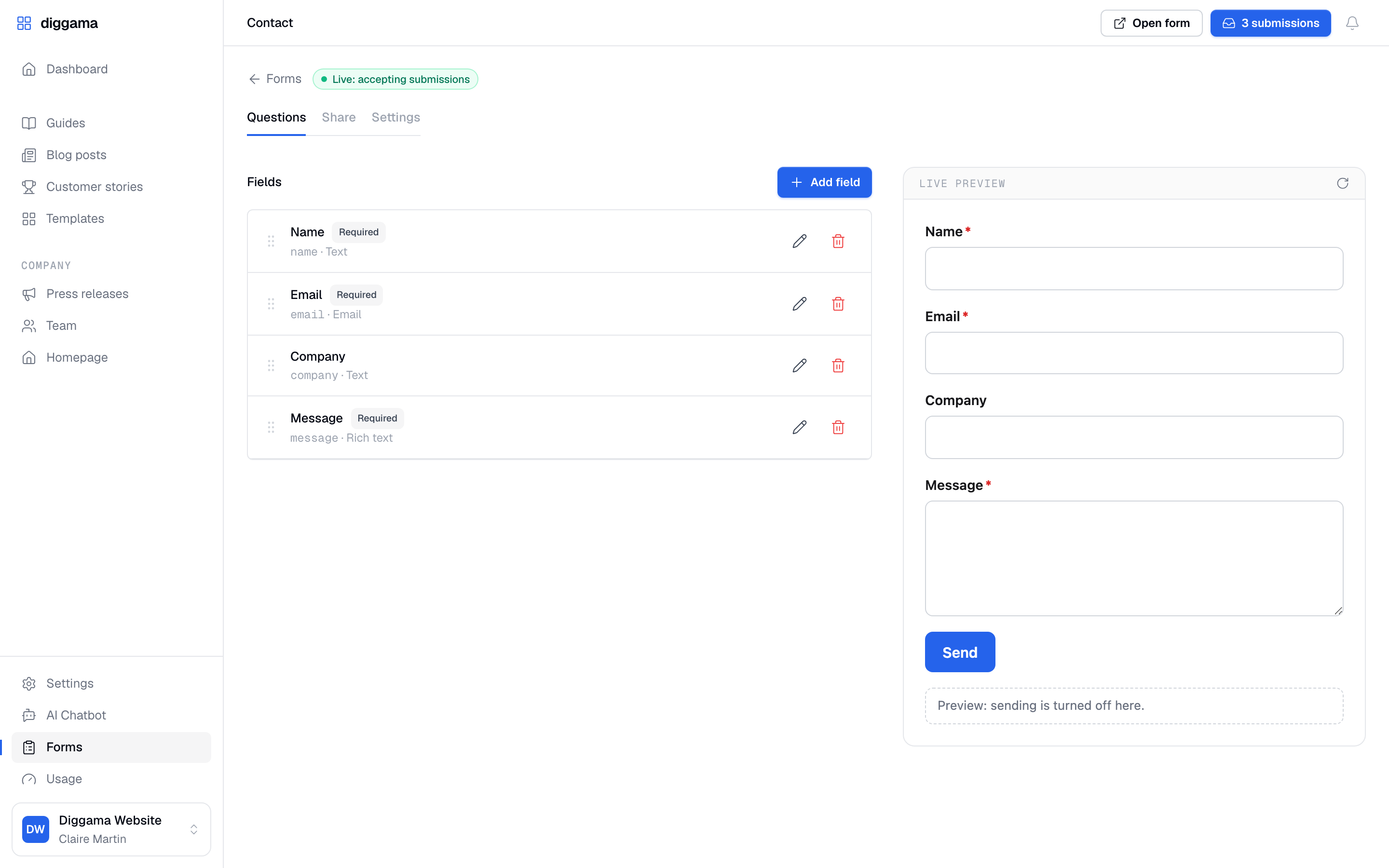
The real Forms pages of the app, played step by step: we build the contact form of diggama.com from a template, add a question, share it, switch on the email alerts and open the answers.
- 01
Pick a template
Contact, Newsletter, Quote request, or Blank. Every question can be changed afterwards.
- 02
Add your questions
Text, email, choice, multi-choice, date, number, link and more, each one required or not.
- 03
Watch the preview
The form as visitors will see it sits next to the questions and follows every change.
- 04
Share it
A hosted link, an iframe for site builders, a styled embed, plain HTML or your own JavaScript.
- 05
Get the alerts
Each answer is emailed to up to ten addresses. Replying answers the visitor.
- 06
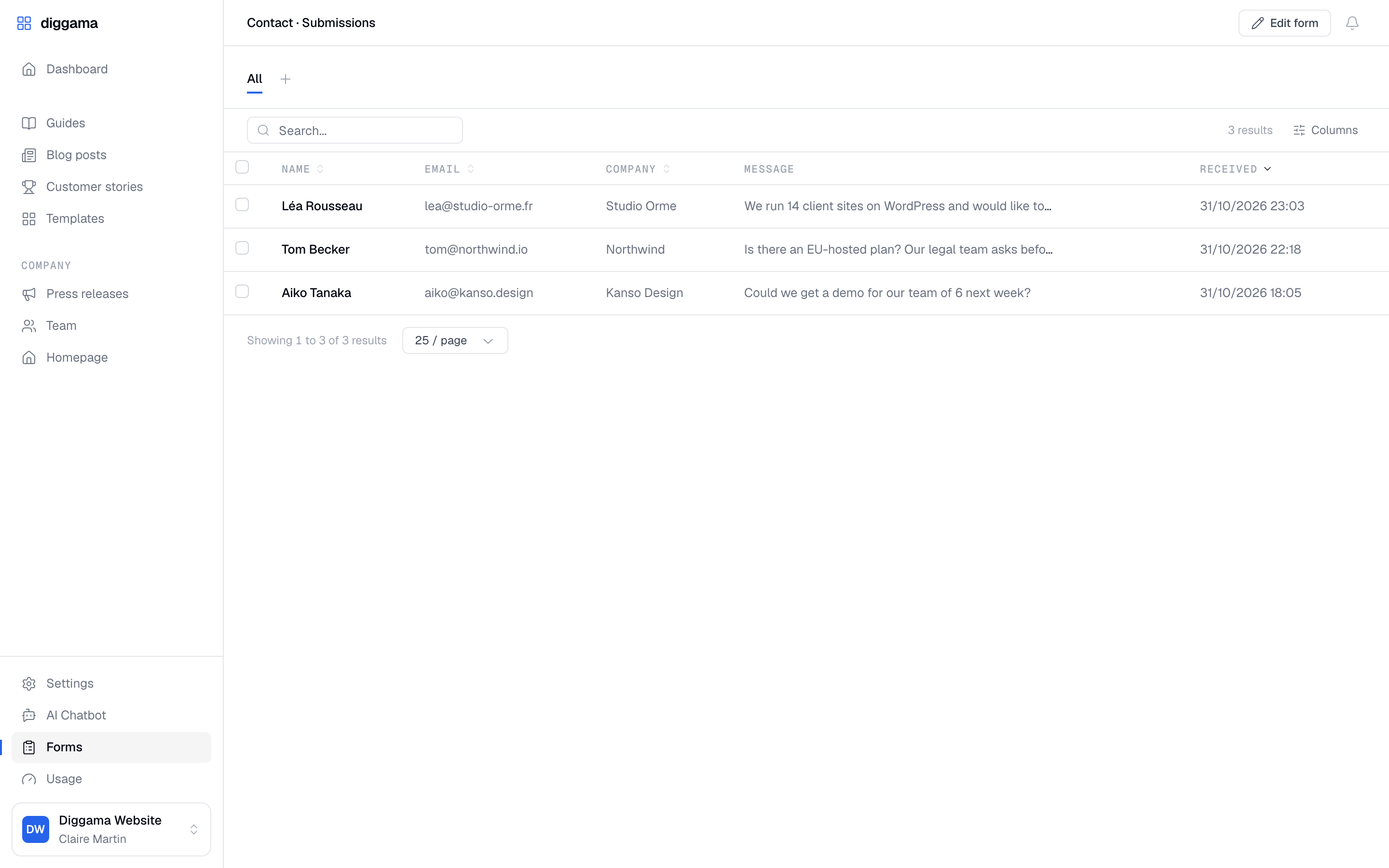
Read the answers
Every submission lands in Diggama, newest first, with search, sort and columns.

Demo · On your site
A visitor writes. Your team reads.
The real embed on the contact page of diggama.com, in the site's own font. The answer is checked, stored as an entry and emailed to the team.
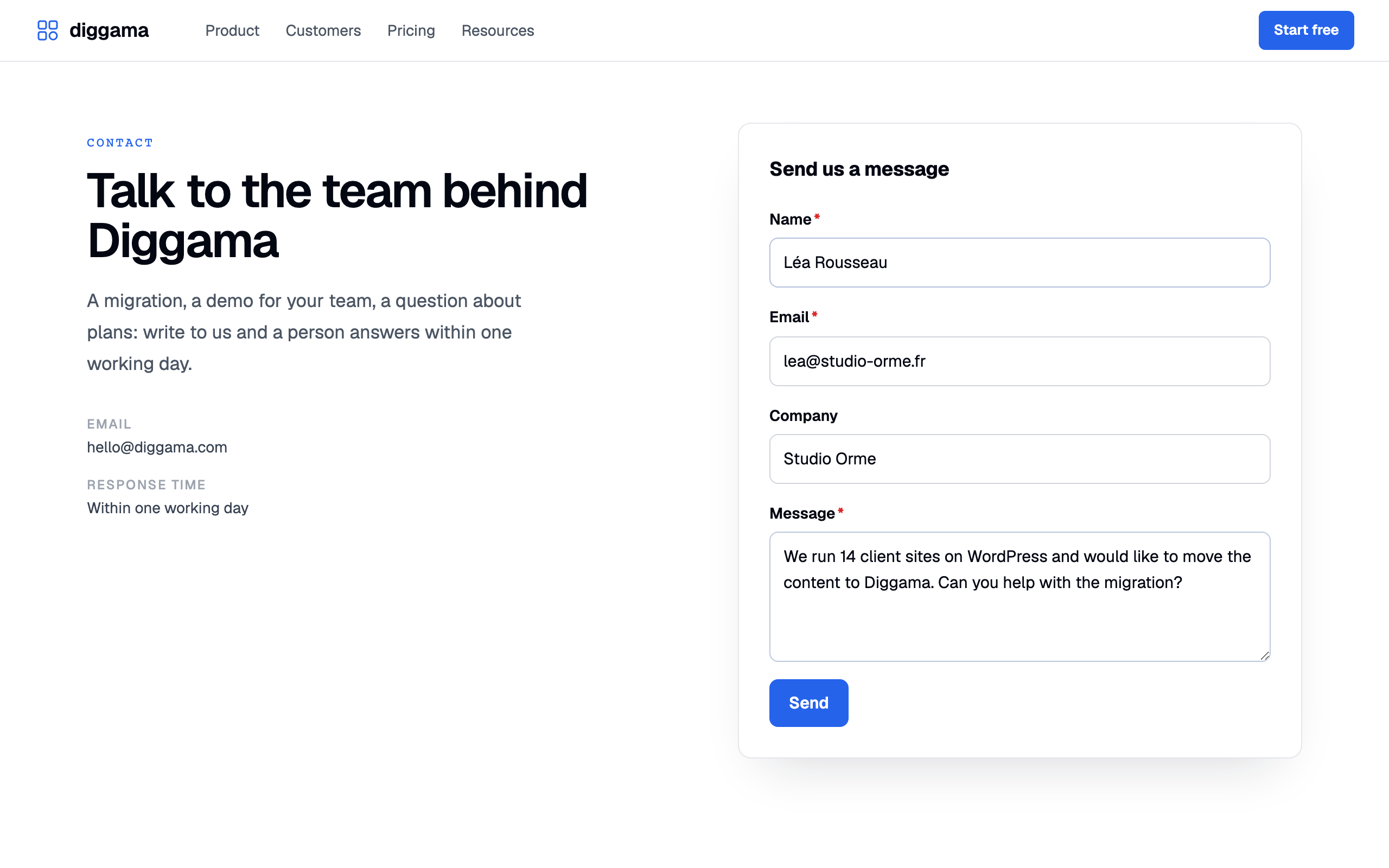
- Fits the page The embed takes the site's font and is restyled with a few CSS variables: accent, radius, borders.
- Checked before it is stored Required questions, valid emails and links, allowed choices: errors show under the right field.
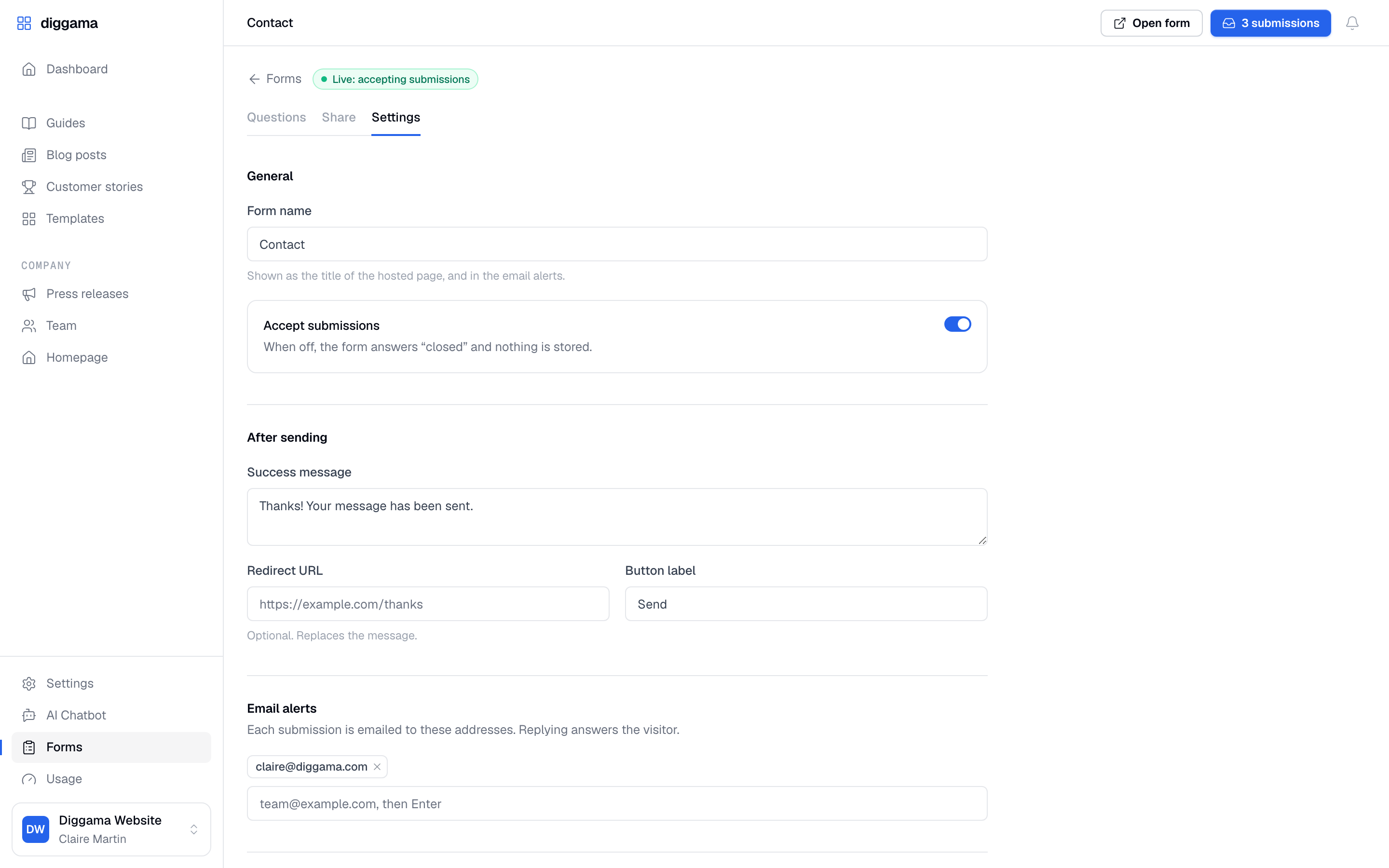
- Your message, or your page After sending, a thank-you message you write, or a redirect to your own thank-you page.
- Works without a website The hosted page is a link you can send by email, post on social media or print as a QR code.
- Open or closed Close a form in one switch: visitors are told it is closed and nothing is stored.
- Fast on every device Plain HTML and a small script with no dependency, at home on phones.
What is in it
Everything around the answer
A public form is an open door. Forms keeps it open for people and closed for bots, and puts every answer where your team already works.
-

Spam protection built in
A rate limit per visitor and per form, a hidden honeypot field and a minimum fill time, always on. Bots get a normal answer and nothing is stored.
-

No token on the page
Each form has its own public key. It can only receive answers, and a new key stops the old one at once.
-

Locked to your domains
List the sites allowed to post, subdomains included. Add Cloudflare Turnstile for an invisible extra check.
-

Email alerts
Every submission is sent to the addresses you choose, with each answer laid out, and Reply goes to the visitor.
-

Answers are entries
Submissions are stored as content: search them, sort them, save views, delete in bulk.
-

Workflows on every answer
A new submission is a new entry, so your workflows run on it: a webhook to your CRM, a Slack message, an email.
-

Headless when you want
Read a form's questions from the API and post answers with fetch, from any front end.
-

Right access per role
Who builds a form and who reads the answers follows the roles of your project.
In the product
From the builder to the inbox
Availability
Available today, in every plan
Forms is live for every Diggama project, under Forms in the sidebar, at no extra cost on Starter, Growth and Enterprise.
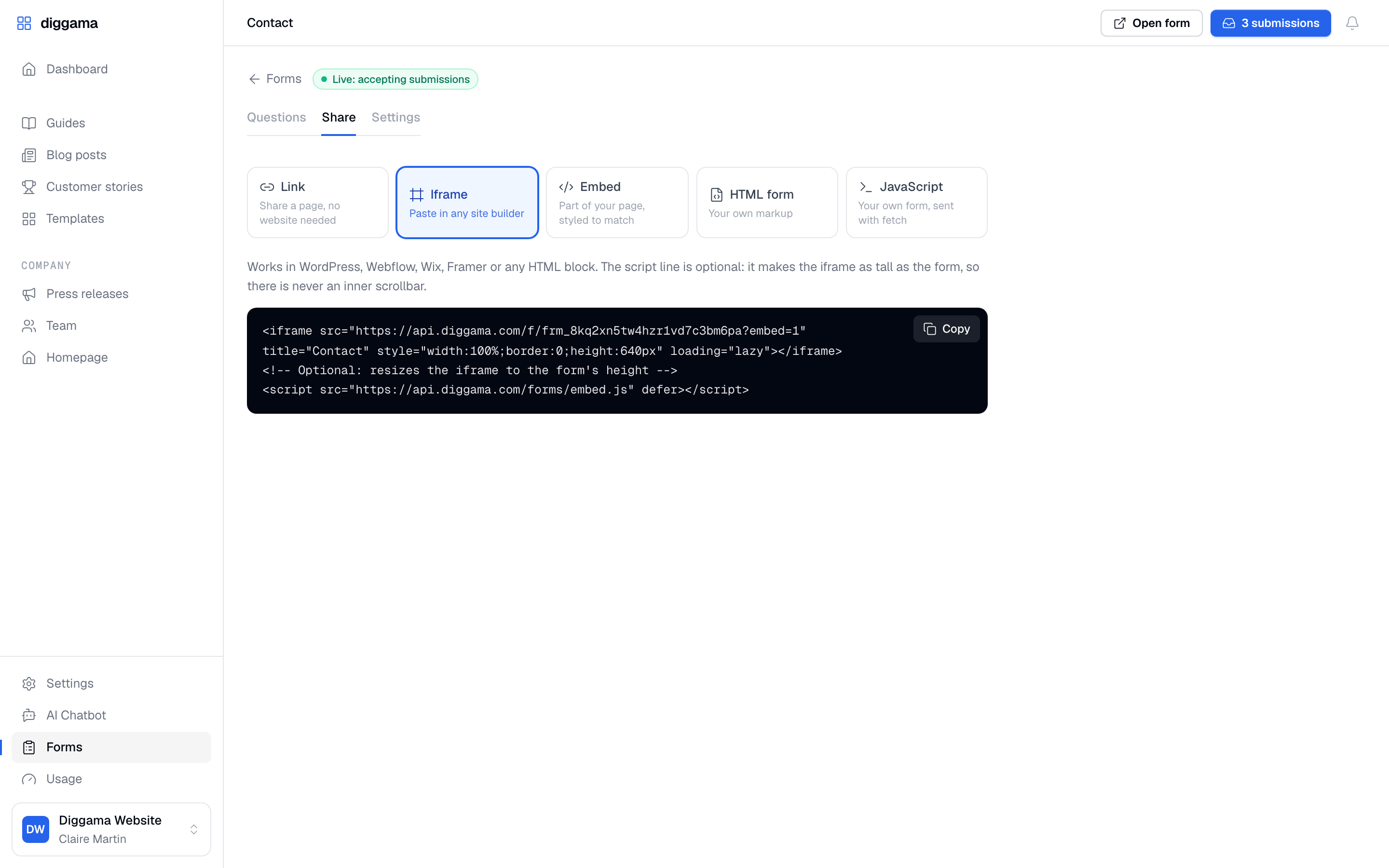
- Link · A hosted page, no website needed
- Iframe · Paste in any site builder
- Embed · Part of your page, styled to match
- HTML form · Your own markup
- JavaScript · Your own form, sent with fetch
<!-- Where the form goes -->
<div data-diggama-form="frm_xxxxxxxx"></div>
<script src="https://api.diggama.com/forms/embed.js" defer></script>
/* Match your site */
.dgf { --dgf-accent: #e11d48; --dgf-radius: 0; }Every site we power has a contact page, and every one of them sent its answers somewhere else. Now the form, the answers and the content live in the same place, and the people who run the site read them.
Media inquiries
Writing about Forms? We are happy to help with screenshots, a demo project and answers to your questions.

Put your first form online today
Every plan includes Forms. Pick a template, share the link, and read the answers in Diggama.
No credit card required · 3 months free trial · Cancel anytime