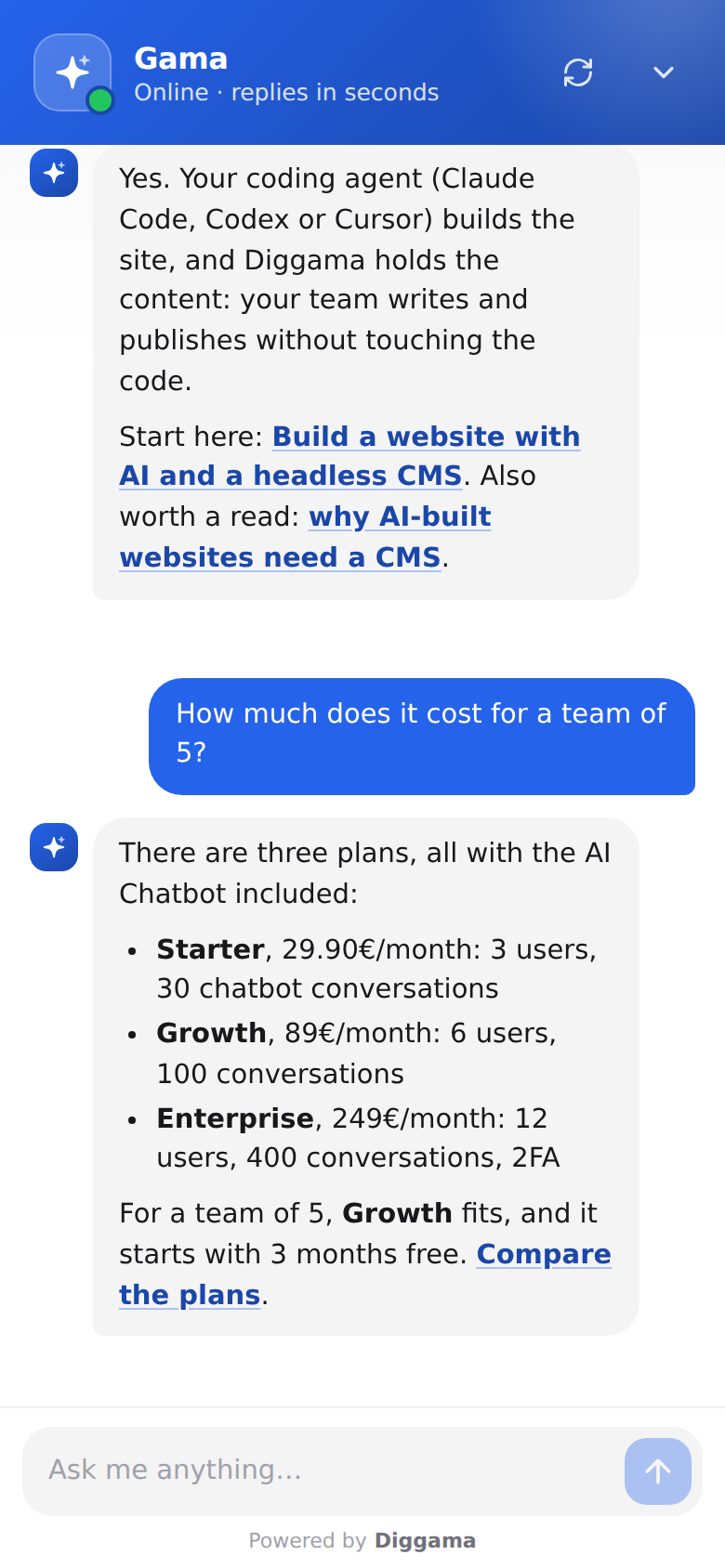
Most websites answer questions in only one direction. The visitor reads, and if the page does not say what they need, they leave, search somewhere else, or write to you and wait. An AI chatbot changes that: the visitor asks in their own words and gets an answer from your content, with a link to the page that says more.
That is a real improvement for some sites and an unnecessary widget on others. This guide sets out what a modern AI chatbot does that the older tools do not, where it is not worth it, the honest limits (hallucination first), and how to tell after a month whether it is working. The examples use Diggama’s AI Chatbot, but the reasoning applies to any assistant you put on a site.
What does an AI chatbot on a website actually do?
An AI chatbot on a website is a chat window, usually in a bottom corner, backed by a large language model that answers visitors’ questions in natural language. The useful kind does not answer from the model’s general knowledge: it answers from your content (your pages, your articles, your FAQ, your terms) and from instructions you write, and it links to the page each answer comes from.
So “AI chatbot” covers two very different products. A generic model with your logo answers confidently about anything, including your prices, which it has never seen. A grounded assistant answers only from what you gave it and says so when the answer is not there. Everything below assumes the second kind; the companion guide on answering from your own content explains how it works and how to set it up.
How is it different from a rule-based bot or a contact form?
A rule-based bot follows a decision tree someone wrote: buttons, keywords, fixed replies. It handles the questions its author anticipated and nothing else. A contact form handles anything, but nobody answers until someone on your team reads it. An AI agent sits in between: it answers unscripted questions straight away, from content you already have.
| Rule-based bot | Contact form | AI chatbot grounded in your content | |
|---|---|---|---|
| Questions it handles | Those in the script | Any, later | Any your content covers, straight away |
| Wording the visitor can use | Keywords and buttons | Free text | Free text, any language |
| Who keeps it up to date | Someone editing the tree | Nobody, but someone must reply | Your content: publish a page, it knows it |
| What happens when it cannot help | Dead end or “contact us” | Waits in an inbox | Says it does not know, points to your contact details |
| What you learn from it | Which buttons were clicked | Messages that reached you | Every question asked, including unanswered ones |
| Effort to start | High: write every branch | Low | Low if your content exists |
The last row matters. A decision tree is a second copy of your content that has to be maintained by hand, and it drifts. A grounded assistant reads the content you already maintain.
Benefit 1: it answers at any hour, in the visitor’s language
Visitors arrive at 23:00, on Sundays and from other time zones. A chatbot answers them then, instead of the next working morning. For a service business that means the person comparing three providers in the evening gets your answer while they are still comparing.
Language comes with it. Large language models read and write most major languages, so a visitor who asks in Spanish on an English site gets an answer in Spanish, built from your English pages. Diggama’s chatbot replies in the visitor’s language by default. This is not a substitute for a translated site, since the pages it links to stay in their original language, but it removes the first barrier for international visitors.
Benefit 2: it takes repeat questions off your inbox
Every business has its top ten questions: prices, opening hours, delivery times, whether you work with clients like them, how to cancel. They are already answered somewhere on the site, and people still ask, because finding a sentence on page four takes longer than typing a question.
A chatbot answers those from the page that holds the answer. Your inbox keeps the questions that need a person: a quote for an unusual project, a complaint, a negotiation. To see how much this is worth for you, count the emails and calls from last month that your site already answered. That number, not a vendor’s average, is your ceiling.
Benefit 3: it sends people to the right page
A good answer is short and ends with a link. “Every project starts with a fixed-price discovery week; the pricing page lists the three packages”, with a link to that page, is more useful than a paragraph, because the page has the detail, the images and the call to action.
This makes a chatbot a navigation tool as much as a support tool. On a site with a blog, a services section and a few hundred pages, a visitor rarely finds the one article that answers their question through the menu. The chatbot finds it from the question. Diggama’s chatbot links to the page of each entry it used (you give it the address pattern once) and to the pages it read through your sitemap.
Benefit 4: it captures leads inside the conversation
A visitor who has just had three questions answered is more willing to leave an email than one facing a blank form. The chatbot can ask at the right moment, or before the first message when the conversation is the lead itself.
Diggama offers three settings:
| Ask for contact details | What the visitor sees | Fits |
|---|---|---|
| Never | Chats straight away | Support and information sites |
| Optional | A short form for name and email, with a Skip button | Most service businesses |
| Required | An email before the first message | High-value B2B enquiries |
Names and emails show next to the transcript, so whoever follows up already knows what the person asked. Optional is the safe default: Required filters out casual visitors, which is good when your team cannot handle volume and bad when you want to learn what people ask.
Benefit 5: it shows you what visitors ask, and where your content has gaps
This is the benefit teams underestimate. Analytics tell you which pages were viewed; transcripts tell you what people were looking for, in their own words. Ten visitors asking whether you work with associations, when your site never says, is a page you should write.
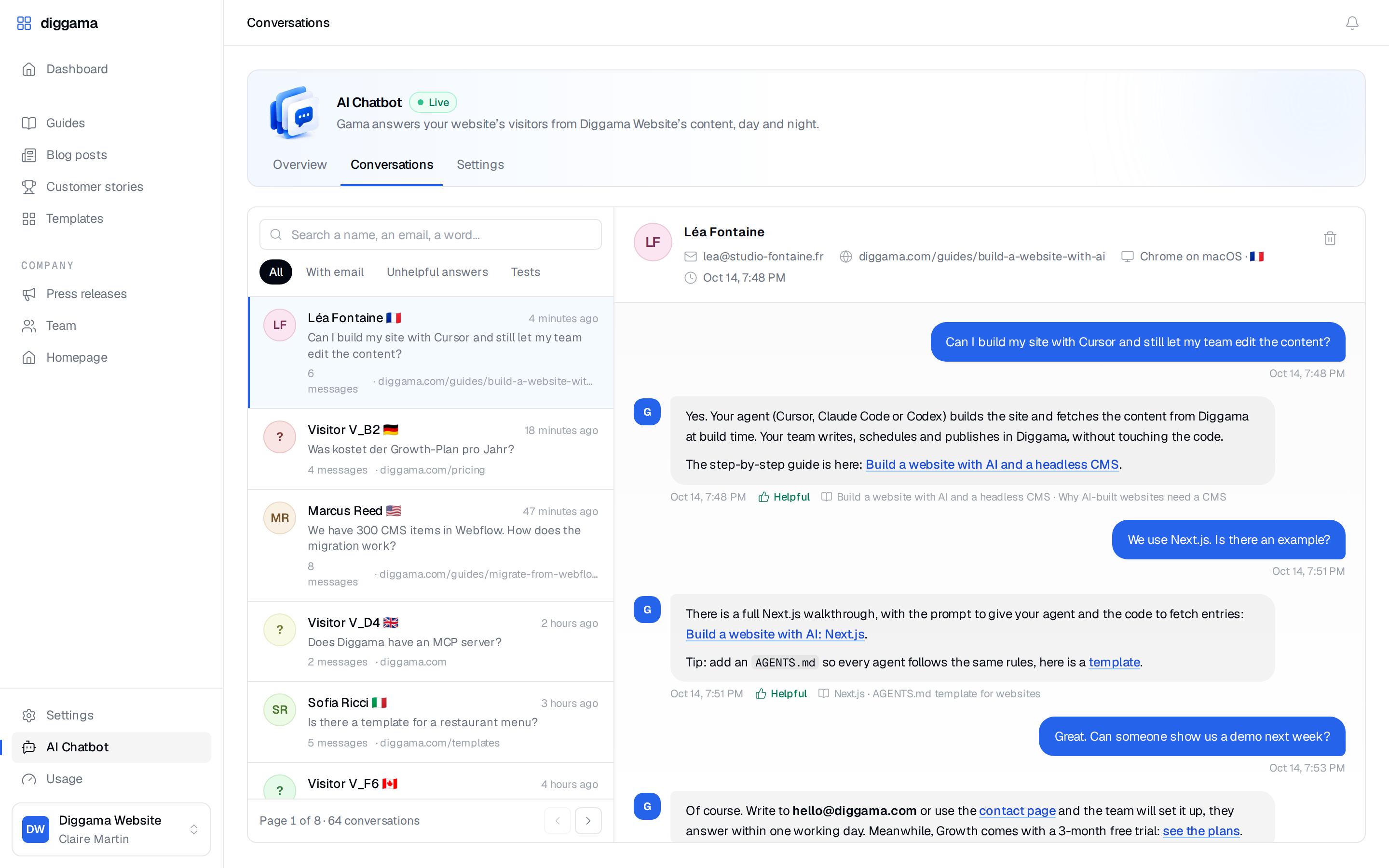
In Diggama, every conversation lands in AI Chatbot › Conversations with the page the visitor was on, their browser and country, and the full transcript. Visitors can mark answers as helpful or not, and the Unhelpful answers filter lists the conversations where they did not. That list is your content backlog.
When do you not need a website chatbot?
You do not need one when visitors rarely have questions your pages leave open, or when nobody will look at what the chatbot says. A widget on every page has a cost: attention, a monthly fee, and a duty to keep its answers right.
Skip it, or wait, when:
- Your site is small and your questions are few. Five pages and three emails a week are better served by a clear FAQ and a fast reply.
- You have little content to ground it in. A grounded chatbot is only as good as what it reads. Write the FAQ first.
- Answers need a professional judgment. Medical, legal or financial advice about a person’s situation should go to a person. A chatbot can still answer the factual questions around it (opening hours, documents to bring), with instructions to hand everything else over.
- Nobody owns it. If no one will read transcripts or fix the content behind wrong answers, its quality only goes down.
What are the limits of an AI chatbot?
The main one is hallucination: a language model can produce a fluent, wrong answer. On a website that is not an abstract risk. In Moffatt v. Air Canada (2024), a British Columbia tribunal held the airline responsible for a bereavement fare policy its chatbot had described wrongly, and rejected the argument that the chatbot was responsible for its own statements. Whatever your assistant says, you said.
Three things handle most of the risk:
- Grounding. The chatbot answers only from your content, documents and instructions, not from what the model remembers about the web. Diggama’s is told exactly that, and declines questions unrelated to your site.
- “I don’t know” as a correct answer. When the answer is not in its knowledge, it says so and points to your contact details. A gap becomes a contact, not an invention.
- Review. Test it before launch with your real top questions, plus a few it should refuse. After launch, read the unhelpful answers every week.
Two limits remain. Grounding cannot fix wrong content: if your delivery page still says 48 hours and it is now five days, the chatbot will promise 48 hours. And a model can still misread a passage or combine two facts badly, so keep commitments (prices, guarantees, legal terms) written plainly in one place, and tell the chatbot in its instructions what it must never promise, for example a delivery date.
How do you measure whether the chatbot works?
Measure four things over the first month, then compare them with the month before launch:
| Metric | Where to read it | What it tells you |
|---|---|---|
| Conversations | Diggama Overview | Whether visitors use it at all, and which plan size you need |
| Unhelpful answers | Conversations, Unhelpful answers filter | Where your content or instructions need work |
| Leads | Conversations, With email filter | Contacts the chatbot produced |
| Repeat questions in your inbox | Your email or helpdesk | Whether it actually deflects anything |
Then read transcripts. Twenty conversations a week is enough to spot a pattern. Sort what you find into three piles: questions answered well (leave them), questions answered badly (fix the page or document it used), and questions with no answer (write the missing page).
An illustration of the arithmetic, not a benchmark: a site that handled 60 pricing and delivery emails a month before launch and 35 after has saved 25 replies. If writing each reply took five minutes, that is about two hours a month, before counting leads. Run the same sum with your own numbers.
What does it cost?
With Diggama, the AI Chatbot is included in every plan and metered in conversations per month. One conversation is one visitor session, however many messages it holds, and conversations started in the settings preview are free.
| Plan | Price | Conversations per month |
|---|---|---|
| Starter | 29,90€ /month | 30 |
| Growth | 89€ /month (3 months free trial) | 100 |
| Enterprise | 249€ /month | 400 |
| Extra conversations | 49€ per 100 conversations / month, any plan |
The allowance resets on the 1st of each month. When it runs out, new visitors see your offline message instead of the chat, and visitors already chatting can finish. Full details are on the pricing page.
How do you start?
Write down your ten most frequent questions and check that your site answers each one plainly. Then put a grounded chatbot on the site, test it with those ten questions and five it should decline, and read its conversations weekly for a month. The guide to answering from your own content walks through the setup in Diggama, and the documentation lists every setting.