
Website CMS
Build and manage your website content with an API-first CMS. No code required.
Browse and manage your content
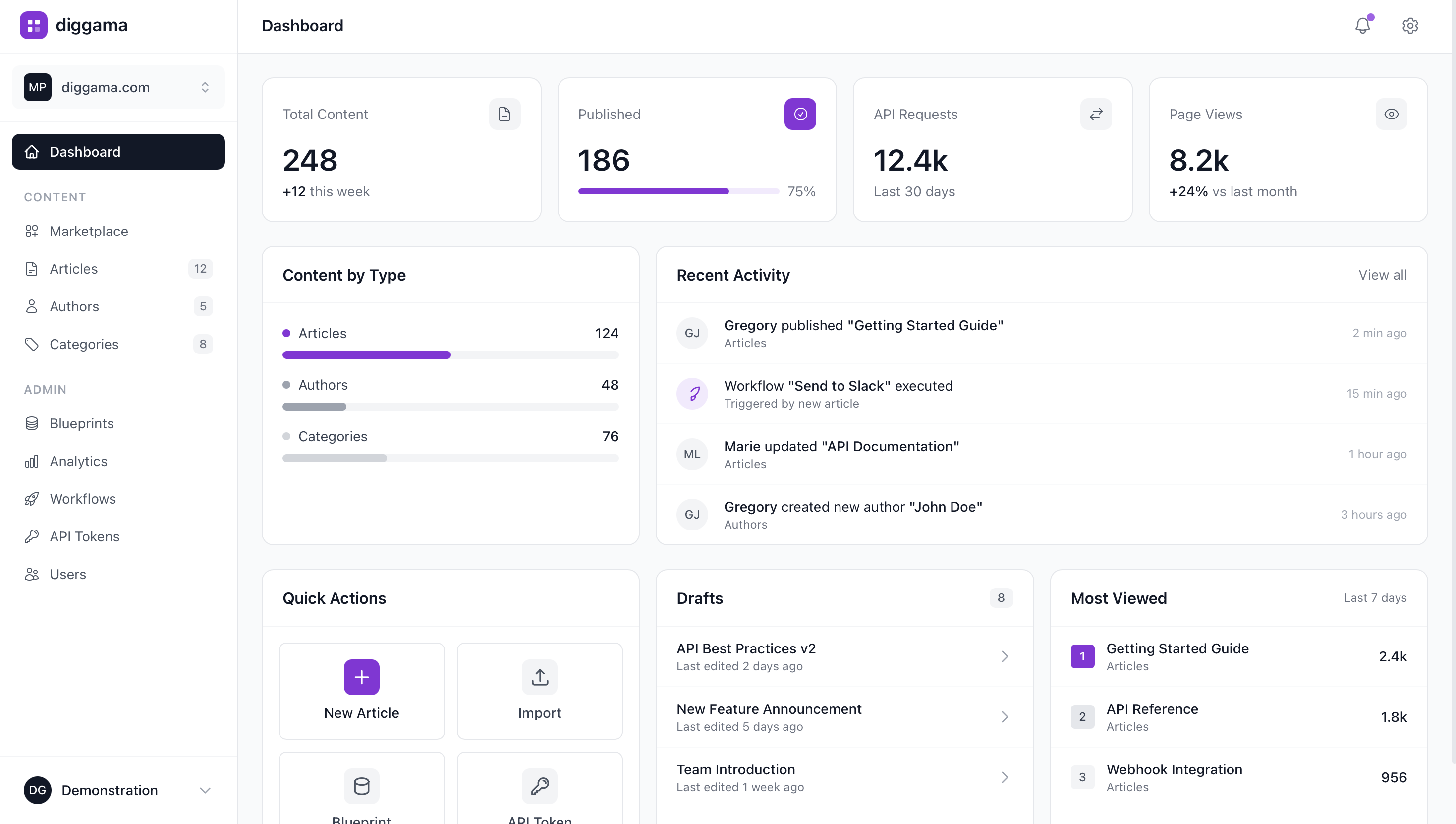
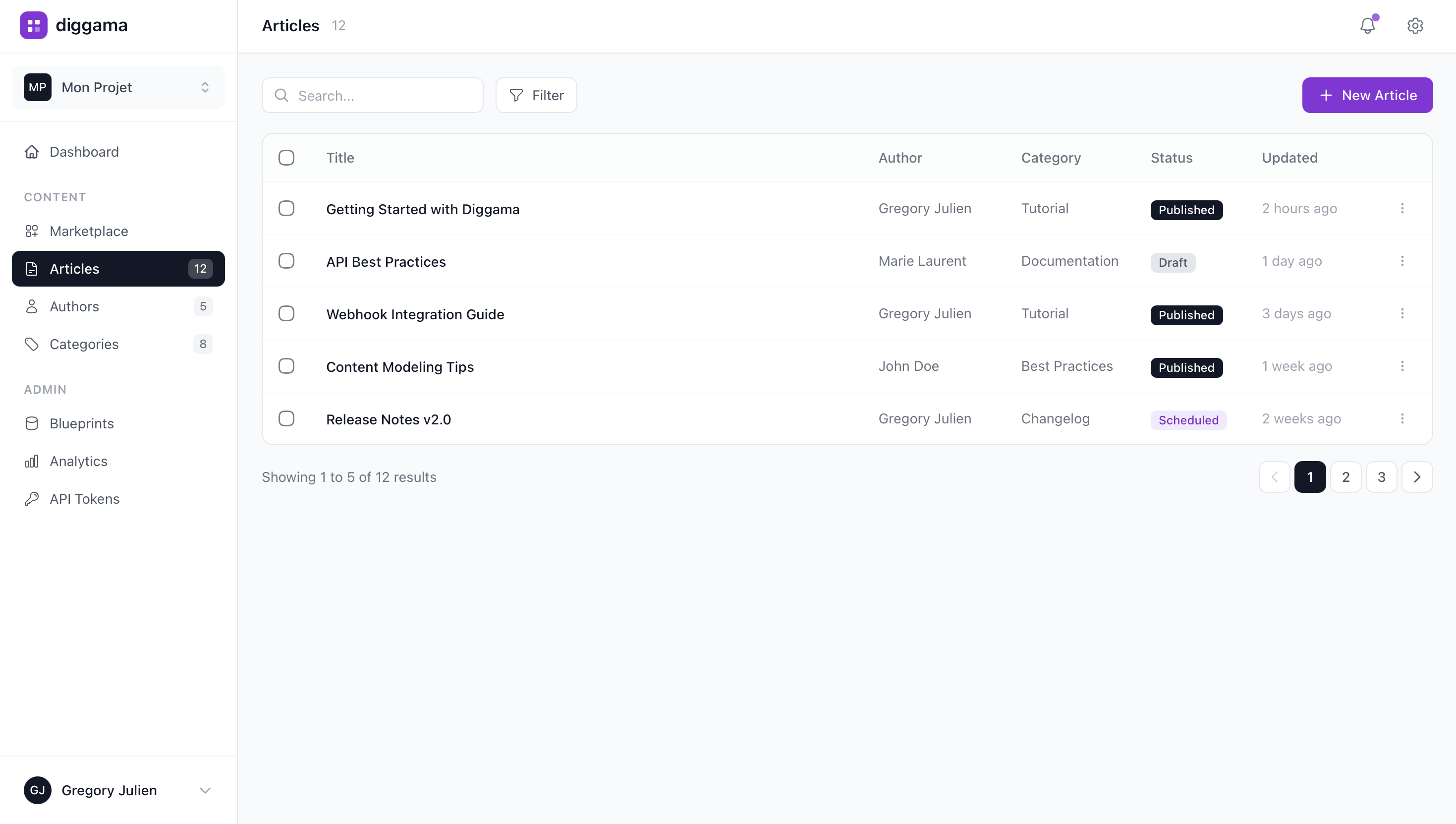
View all your resources in a clean, organized list. Filter by status, search by title, and quickly access any content.
Find any content instantly with powerful search
Draft, Published, Scheduled statuses
Select multiple items, paginate through results
Create content with ease
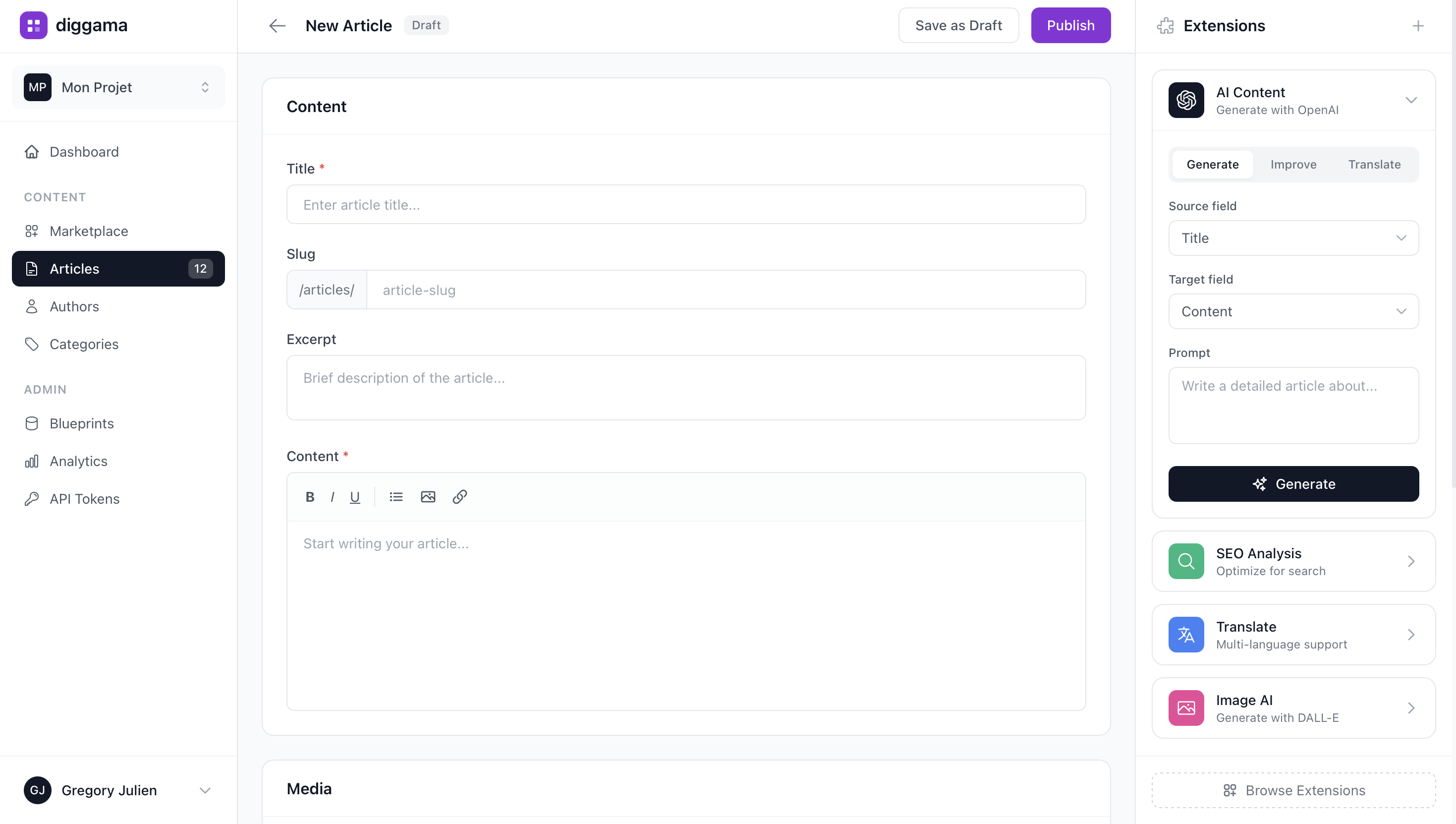
Intuitive form builder with rich text editing, media uploads, and auto-save. Each field type has its own optimized input component.
Full WYSIWYG with media support
Upload and auto-optimize images
Never lose your work, track all changes
How It Works
Set Up Website CMS
Choose a template or start from scratch. Customize fields for your website CMS.
Manage Content
Add, edit, and organize your data with an intuitive interface. Invite team members.
Go Live
Connect to your website, app, or workflow with one API call. Deploy anywhere.
Key Features
Custom content types
Visual editor
Media management
SEO fields
Multi-language support
API access
Explore by Specialization
Find the version of Website CMS that fits your industry, role, or specific need.
Frequently Asked Questions
What is Diggama Website CMS?
What features does Website CMS include?
Who is Website CMS for?
Can I use Website CMS without coding?
Does it have an API?
How much does Diggama cost?
How long does it take to set up?
Try Website CMS for free
Build and manage your website content with an API-first CMS. No code required.